
Quick Answer
Before using your robot lawnmower for the first time, fully charge the battery, ensure the charging station and boundary wire have been installed correctly, then follow the start-up instructions for your specific mower series.
Before You Begin
Before starting your robot lawnmower, make sure:
- The battery is fully charged.
- The charging station is installed on level ground.
- The boundary wire is connected correctly and is not damaged.
- The charging station LED shows normal operation.
- The mower is correctly docked on the charging station.
Important: If the charging station is not level or the boundary wire is broken, the mower may not charge or operate correctly.
Amiro 400i Setup Video
X Series Setup Video
Eco Model Settings Video
The start-up procedure varies depending on your series type of mower.
First of all, the battery must be charged.
Charging the Battery
- Fully charge the mower before first use.
- A fully discharged battery typically requires approximately 100 minutes to charge.
- Once fully charged:
- If the mower is within its scheduled mowing period, it will leave the charging station automatically.
- If the mower is paused or switched off, it will remain on the charging station until started manually.
You now can switch on the machine. Listed below are manual starting procedures for each series type:
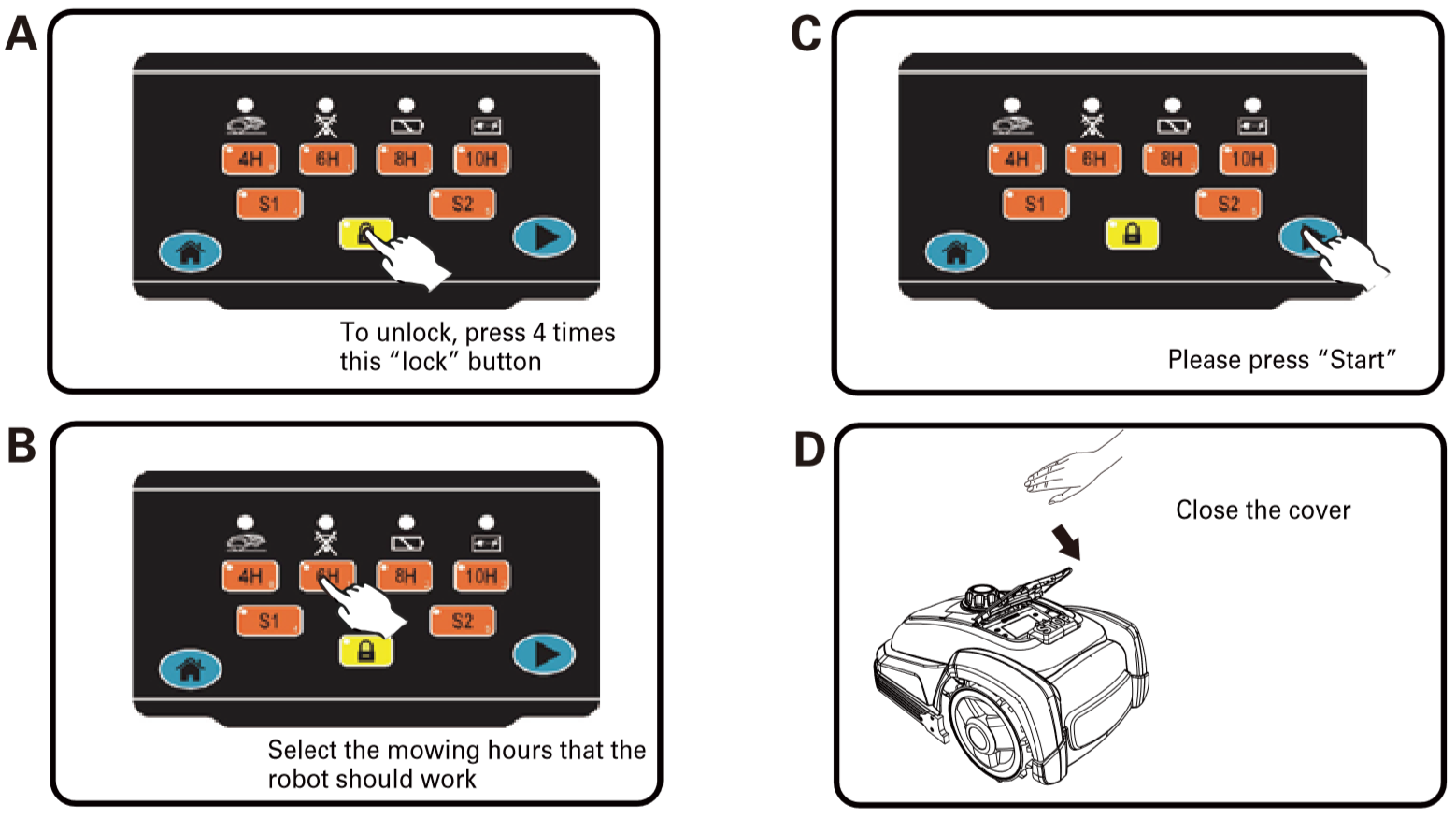
X-Series (x50-100 & x50i-100i)
X-Series (X50, X80, X100, X50i, X80i and X100i)
- Turn the red power switch on at the rear of the mower.
- Press the STOP button.
- Lift the control panel cover.
- Unlock the control panel.
- Wait until the LEDs switch off.
- Select your preferred mowing duration (for example 4H).
- Select the signal channel (S1 or S2) to match your charging station.
- Press the Start button.
- Close the cover.
The mower will emit a long beep before beginning to mow.
Amiro Series (300, 400, 300i and 400i)
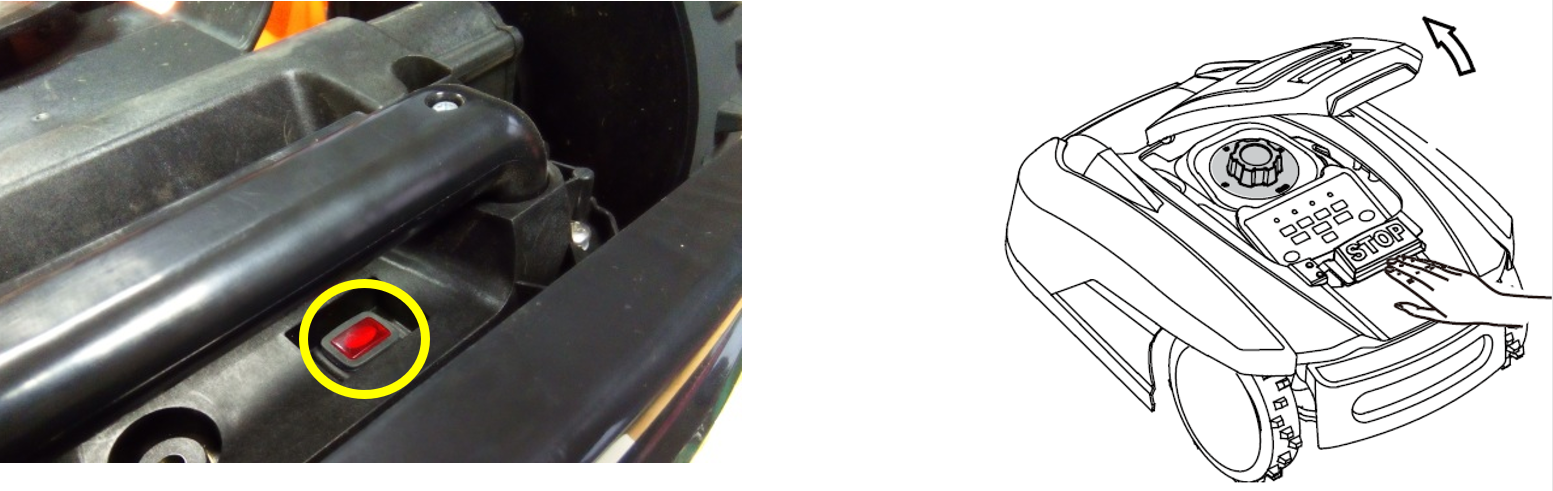
- Turn the red power switch on at the rear of the mower.
- Press the STOP button.
- Lift the cover.
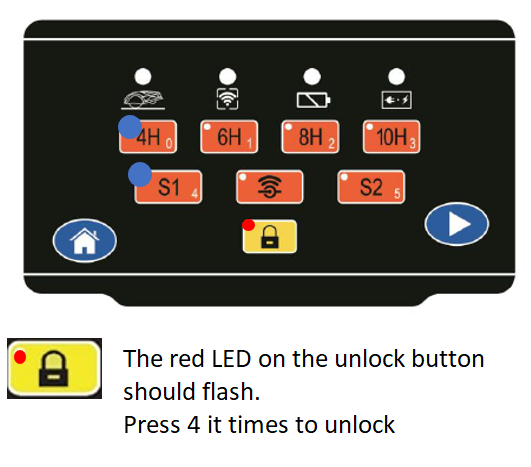
- Select the signal channel (S1 or S2) to match the charging station.
- Select the required working time (for example 4H).
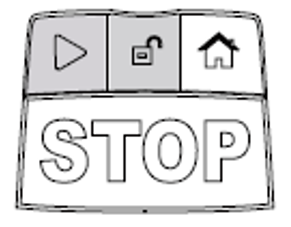
- Press and hold the Unlock button.
- While holding Unlock, press the Start button.
- After a few seconds, the mower will begin mowing.

AMIRO (300-400, 300i-400i)
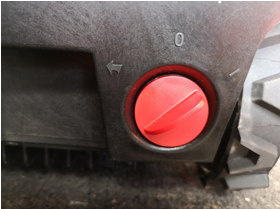
1. Turn red switch at the back.
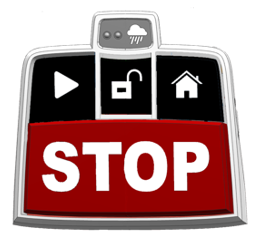
2. To Recommence mowing, please press the STOP button ^ again.
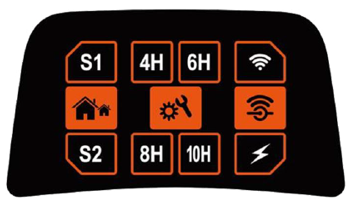
3. Match signal button (S1 or S2) to charging station.
4. Choose your preferred working-time for example 4 hours = 4H
5. Press and hold the unlock button, then press the start button. After a few seconds the mower should engage.
Compact 280R
Follow the operating instructions supplied with your Compact 280R model. If you require further assistance, refer to the user manual or contact Customer Support.
SA Series (500ECO, 600H and 650ECO)
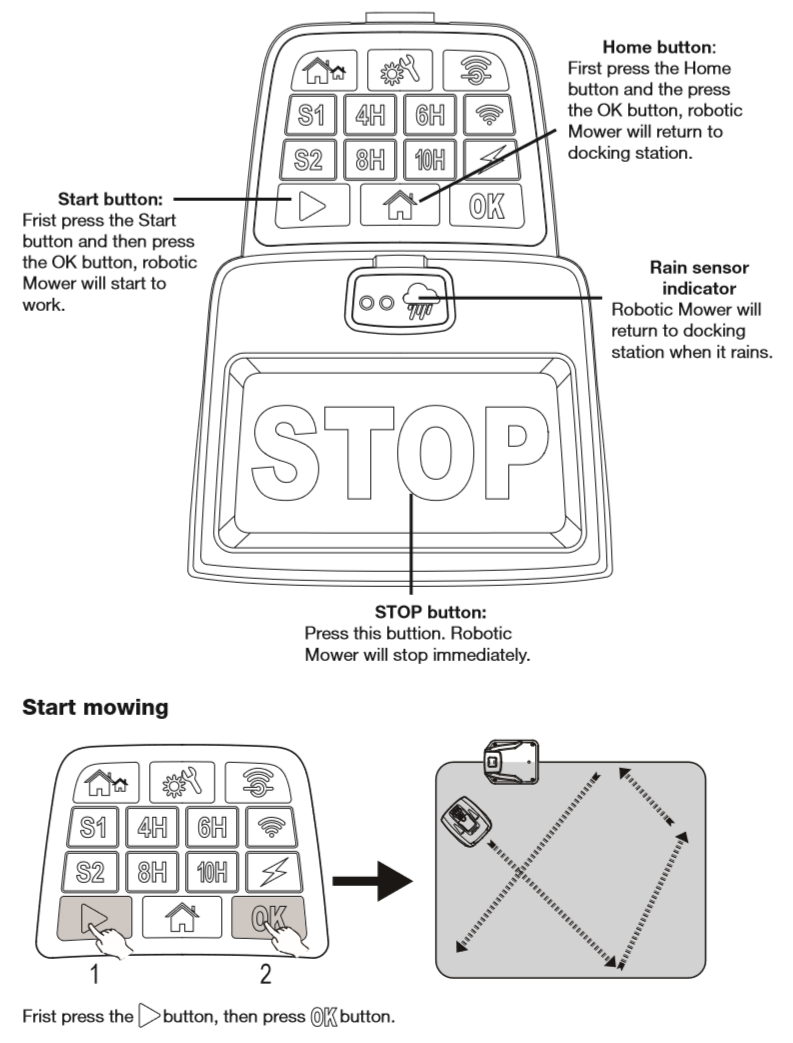
- Press the power button located on the rear underside of the mower.
- Press the STOP button.
- Lift the cover.
- Unlock the control panel.
- Select your preferred mowing settings.
- Press the Start button.
- Close the cover.
Note: The SA600H uses a touchscreen display, so some controls differ from the other SA models.
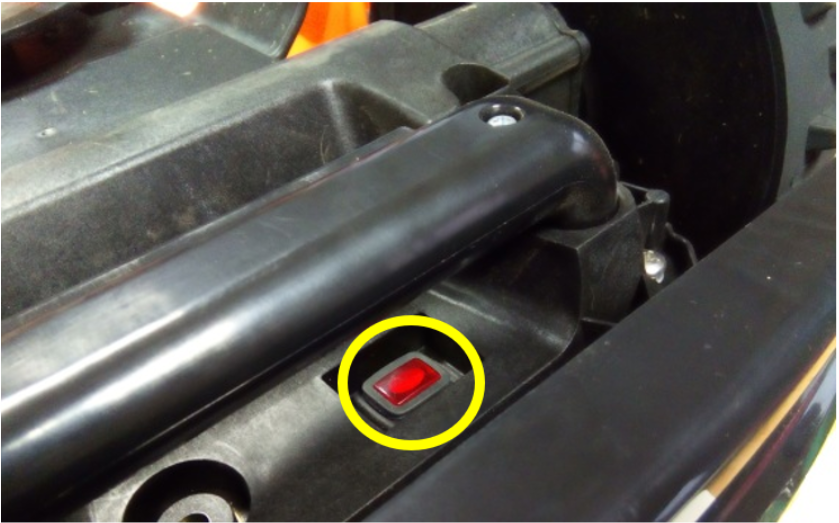
1. Press the start button at the back-bottom.
2. Press STOP button, and lift cover. Then follow the above steps^
Returning the Mower to the Charging Station
To manually send your robot lawnmower back to its charging station:
- Press STOP.
- Lift the cover.
- Unlock the control panel (enter your PIN or the default unlock sequence).
- Press the Home button.
- Close the cover.
The mower will automatically return to the charging station.
Frequently Asked Questions
Why won't my robot mower start?
Check that:
- The battery is fully charged.
- The mower is switched on.
- The control panel has been unlocked.
- The correct signal channel (S1 or S2) has been selected.
- The boundary wire is connected and undamaged.
How long does it take to charge the mower?
A fully discharged battery takes approximately 100 minutes to charge.
Why does my mower leave the charging station by itself?
If the mower reaches a full charge during its programmed mowing schedule, it will automatically leave the charging station and continue mowing.
How do I send the mower back to the charging station?
Press STOP, unlock the control panel, select the Home button, then close the cover. The mower will return to the charging station automatically.
What if my mower will not dock correctly?
This is usually caused by:
- An uneven charging station.
- A damaged or disconnected boundary wire.
- Obstacles around the charging station.
- Incorrect charging station installation.
Check the charging station installation before attempting to use the mower again.
Do all Yard Force robot mowers start in the same way?
No. The start-up procedure varies slightly between the X-Series, Amiro, Compact and SA Series. Always follow the instructions for your specific model.